 DocClar
Accessible PDFs that pass PDF/UA validation
We tag and review the PDFs you design and return them with a validation report. For design and communication agencies working for public bodies and companies.
The problem
Since 28 June 2025 the requirements of Directive (EU) 2019/882, the European Accessibility Act (EAA), apply across the EU to many digital products and services (Art. 31(2); OJ L 151, 7.6.2019). Public sector websites and apps were already covered by Directive (EU) 2016/2102.
In practice, more and more clients ask for the PDFs they publish to be accessible and to pass PDF/UA validation. A well-designed PDF is not accessible by itself: it lacks tags, reading order, alternative text and tables with headers, and that work is usually outside the design budget.
This is not legal advice: which rules apply to each document is for your client or their legal advisers to decide.
What we do
- Structure tagging: headings, paragraphs, lists and tables with header cells.
- Correct reading order and links with descriptive text.
- Alternative text for images and charts, reviewed by a person.
- Document title and language; fonts embedded where possible.
- OCR for scanned documents.
- PDF/UA-1 validation report (veraPDF), before and after.
How we work
Shared folder
You drop the PDFs into a shared folder (Google Drive, Dropbox or OneDrive).
Automatic processing
Tagging, OCR where needed, fixes and PDF/UA validation.
Human review
A person checks the alternative texts, the tables and the reading order.
Delivery
The fixed PDF appears in your folder together with its PDF/UA validation report.
Example: before and after
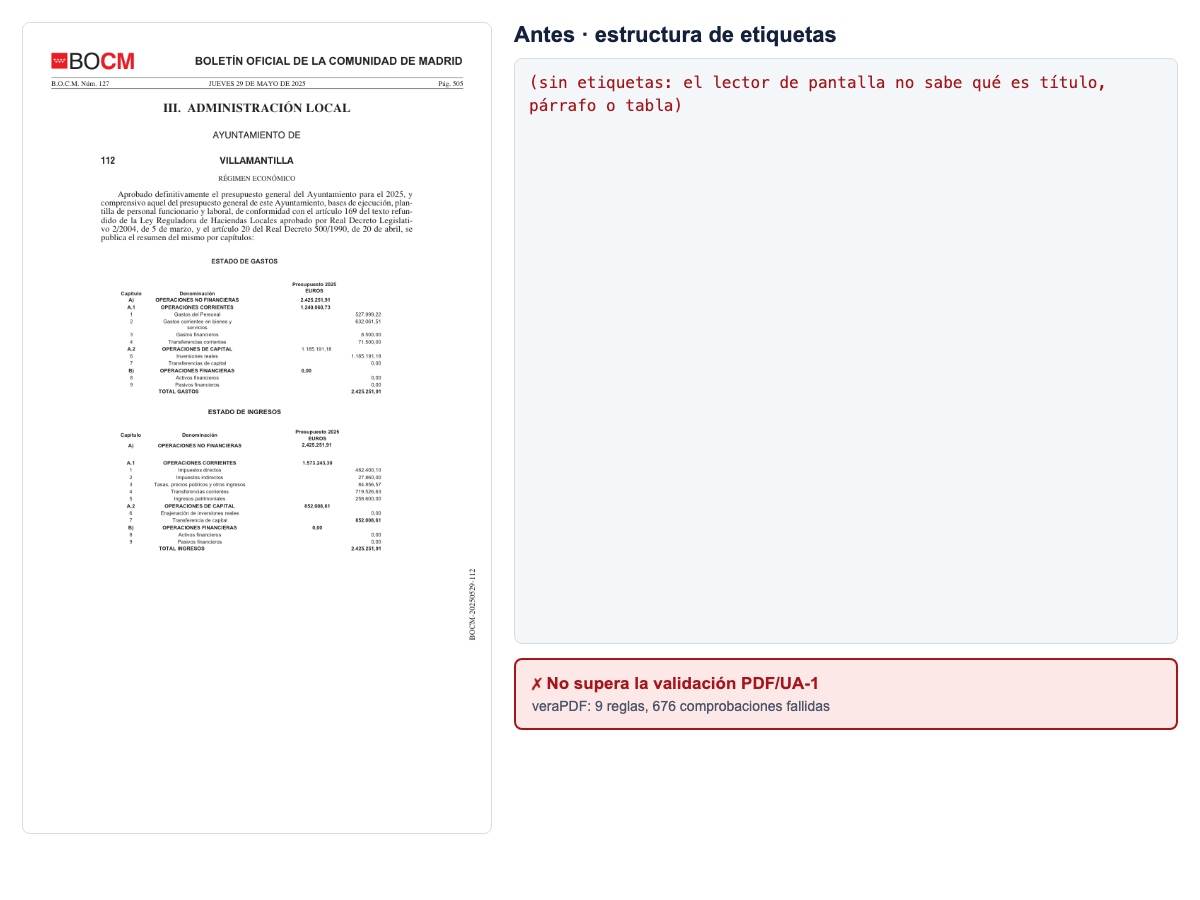
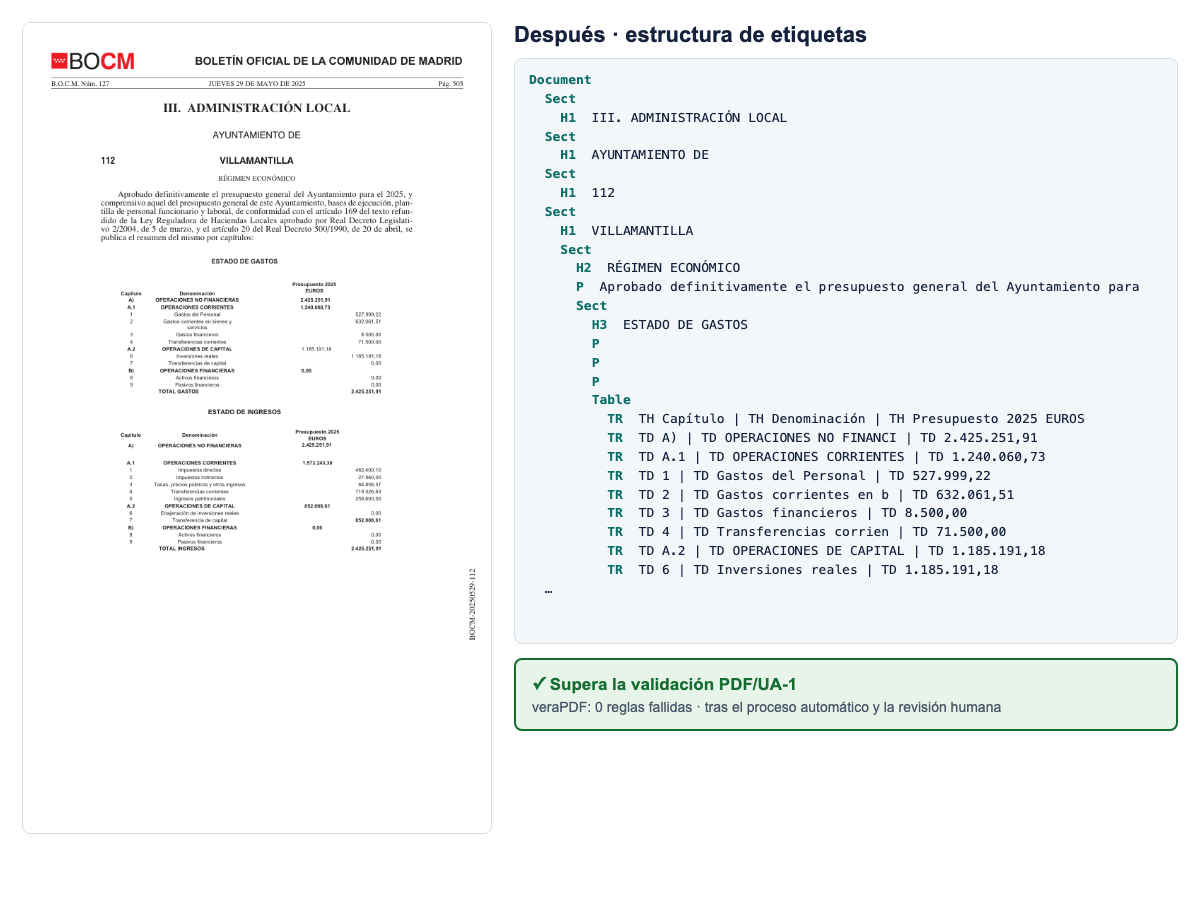
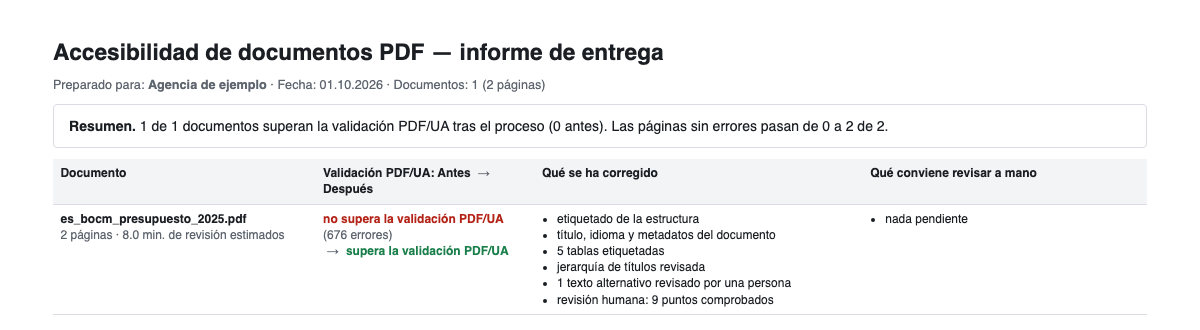
A real public document: BOCM n.º 127, 29/05/2025 — Ayuntamiento de Villamantilla, presupuesto general 2025. The same file before and after; in the human review the QR code was described and the title fixed.
Prices
| Type | Includes | Price excl. VAT |
|---|---|---|
| Standard page | Text, images and charts | €2.00 |
| Complex page | With tables or forms | €3.50 |
VAT not included. Prices for businesses (B2B).
Free pilot for agencies: we process 2–3 of your documents at no cost and with no commitment, with the before/after report.
What we deliver and what we don't
We deliver PDFs that pass PDF/UA validation (veraPDF, PDF/UA-1 profile) together with the report. We give no legal guarantee of regulatory compliance, and automatic validation does not replace testing with people who use assistive technology.
Contact
Write to docclar.bcn@gmail.com with one or two sample PDFs and we will tell you how many pages are standard and how many complex.